How to Choose a professional WordPress Template
Choosing the right WordPress Template in 2025 is more than a design choice—it’s a strategic decision that defines your brand identity, site performance, and user engagement, With thousands of options available, finding a professional, functional, and SEO-friendly template can feel overwhelming.
Whether you’re building a portfolio, an affiliate site, or an online store, your template serves as the foundation of your website’s success, This guide provides a step-by-step approach to help you confidently select a professional WordPress Template that aligns with your goals, performance needs, and design standards.
For a deeper look at WordPress basics, check What is a WordPress platform? And why do we use it? from E Helper Team — a great primer to understand the power of WordPress before you start choosing a theme.


Why Choosing the Right WordPress Template Matters
The WordPress Template you choose isn’t just about looks—it impacts your site’s functionality, speed, and SEO ranking. In 2025, Google’s Core Web Vitals will make page speed, responsiveness, and stability crucial ranking factors. A poorly optimized template could tank your site’s visibility, while a professional one can enhance performance and conversions.
Here’s why your template choice is critical:
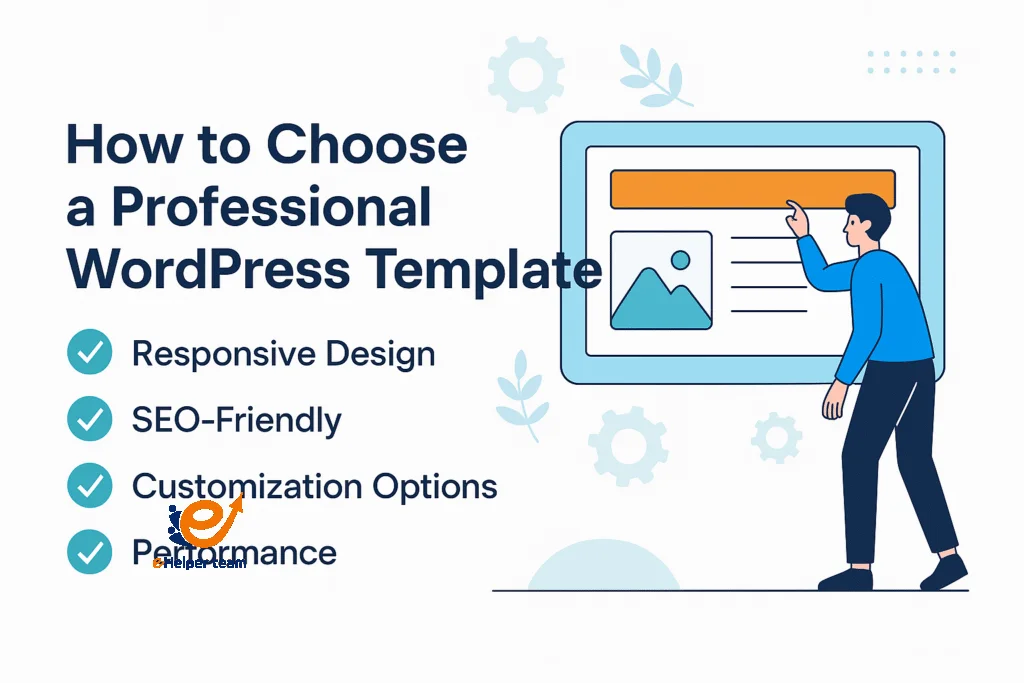
Brand Identity – Your template should reflect your business personality. A corporate firm needs a clean, professional layout, while a creative agency benefits from bold visuals.
Mobile Optimization – Over 60% of users access websites from mobile devices. Ensure your template is responsive and touch-friendly.
SEO Compatibility – A good template comes with clean code and schema markup. This helps search engines crawl and understand your site easily.
Customization Options – Choose a theme that allows flexibility without coding. Modern page builders like Elementor or Gutenberg make this simple.
Performance and Speed – Lightweight templates ensure faster load times and better user retention.
If you’re considering building an affiliate site, check out How to Build an Affiliate Website WordPress Style in 2025, which showcases how template selection influences site profitability.
How to Choose a Professional WordPress Template (Step-by-Step)
Now that we understand why it matters, let’s break down the process of selecting a truly professional WordPress Template step by step.
1. Define Your Purpose
Start by identifying the type of website you’re creating. An eCommerce store, a blog, or a portfolio site each requires different template structures. Business websites benefit from clean, corporate designs, while blogs favor readability and typography.
2. Evaluate Design and Layout
Look for designs that complement your content, not distract from it. Modern templates focus on minimalism, white space, and high readability. In 2025, dark-mode compatibility and accessibility compliance (WCAG) are key trends.
3. Check Compatibility with Plugins
Your template should integrate seamlessly with popular plugins like WooCommerce, Yoast SEO, and Contact Form 7. Templates that restrict plugin use can hinder scalability.
4. Consider Performance
Choose lightweight themes such as Astra, GeneratePress, or Neve. Avoid bloated templates with unnecessary scripts or animations.
5. Verify SEO and Schema Readiness
A professional template supports breadcrumbs, metadata, and JSON-LD schema. These help Google better understand your content.
6. Confirm Regular Updates and Support
Reputable developers frequently update templates to fix bugs and maintain security. Always check the changelog and user reviews before purchase.
If you’re creating landing pages or sales funnels, the article landing page in WordPress offers practical advice on how to align templates with conversion goals.
Design Trends in WordPress Templates for 2025
Design trends evolve rapidly, and staying current helps your website remain competitive. In 2025, several design philosophies are shaping the best WordPress Template options:
AI-Enhanced Customization: Many modern themes now include AI-driven design suggestions and layout optimization.
Dynamic Typography: Variable fonts and responsive text scaling enhance readability across devices.
Micro-Interactions: Small animations, such as hover effects or button transitions, make sites feel alive.
Sustainability-Focused Design: Lightweight, eco-friendly templates minimize carbon footprint through optimized code.
Accessibility-First Approach: Templates now prioritize accessibility compliance to improve inclusivity.
For instance, Shopify Store Setup: Theme vs Custom Development compares ready-made themes with custom builds—helpful when deciding between flexibility and cost efficiency.
How to Evaluate Template Providers and Developers
When it comes to choosing a professional WordPress Template, the source of your theme matters just as much as its design. Reliable developers not only deliver quality but also ensure ongoing updates, support, and security patches.
1. Verify Developer Reputation
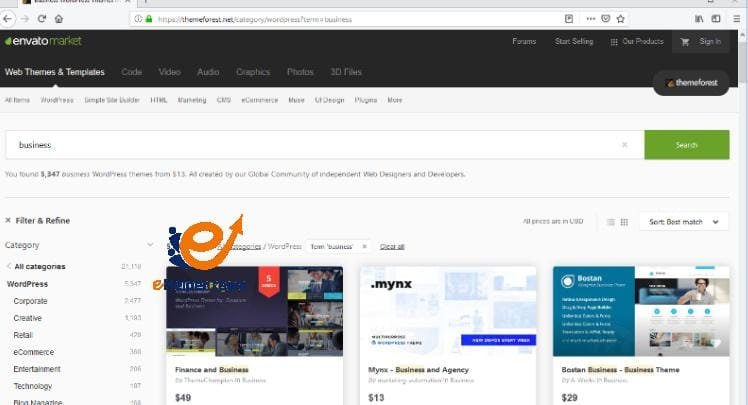
Always buy or download templates from trusted marketplaces like ThemeForest, Elegant Themes, or directly from official developer websites. Check ratings, reviews, and the number of active installations. A template with thousands of users and consistent 5-star reviews is a good indicator of reliability.
2. Regular Updates and Compatibility
A well-maintained WordPress Template will receive frequent updates, especially after major WordPress releases. Outdated themes may cause conflicts with plugins or expose your site to vulnerabilities. Always check the “Last Updated” date on the theme’s page.
3. Documentation and Support
Professional developers provide clear setup documentation and responsive customer support. A quick response to pre-sale questions is often a sign of good post-sale service.
4. Demo and Live Preview
Before installation, explore the demo version thoroughly. Observe how menus, buttons, and animations function on different devices. Poor responsiveness or slow loading can signal bad coding.
5. Licensing and Pricing Transparency
Avoid pirated templates. Free versions may come with malware or missing features. It’s better to invest in a premium license that guarantees quality and reliability.
Pro Tip: When choosing from a developer’s collection, compare how many templates they actively maintain—this often reflects their commitment to long-term quality and customer care.
Testing Template Performance Before Launch
Even the most beautiful WordPress Template can fail if it performs poorly. Speed, accessibility, and user experience are vital. Here’s how to test them effectively before you go live.
Real-World Examples and Use Cases of Professional Templates
The best way to understand how to choose a professional WordPress Template is by seeing successful use cases. Let’s look at a few industries and how their template choices shape results:
1. Corporate Business Websites
Companies often use minimalist, flat-design templates like “Astra Pro” or “OceanWP.” These themes emphasize structure and clarity—ideal for conveying professionalism. Features like mega menus, testimonial sliders, and service grids help maintain a polished corporate image.
2. E-commerce Stores
Online retailers favor WooCommerce-compatible templates such as “Flatsome” or “Storefront.” These themes offer powerful product display features, fast checkout, and integration with payment gateways.
This is exactly what’s discussed in Shopify Store Setup: Theme vs Custom Development—a must-read comparison for those deciding between ready-made templates and custom builds.
3. Personal Blogs and Content Creators
Bloggers and writers often choose typography-focused templates like “Writee” or “Neve Blog.” These layouts improve readability and focus on storytelling. Minimal distractions and fast load times keep readers engaged.
4. Affiliate Marketing Sites
Affiliate marketers need lightweight and SEO-friendly templates to rank high and load fast. Templates with advanced header layouts and ad placement zones—like “GeneratePress”—perform best. For more guidance, check Affiliate Website WordPress Style.
5. Portfolio and Creative Agencies
Creative professionals rely on bold, visually striking templates such as “Oshine” or “Kalium.” These provide video backgrounds, galleries, and animation effects that highlight artistic work without compromising performance.
Each of these examples demonstrates that choosing the right template involves aligning purpose, audience, and performance—not just design.

Frequently Asked Questions
1. What makes a WordPress Template “professional”?
A professional template combines high-quality design, SEO optimization, mobile responsiveness, and regular developer support.
2. Are free WordPress templates safe to use?
Free templates can be safe if downloaded from reputable sources like WordPress.org, but premium ones usually offer better updates, customization, and support.
3. How often should I update my WordPress Template?
You should update whenever the developer releases a patch or a new version—typically every few months.
4. What’s the difference between a WordPress Template and a Theme?
They are often used interchangeably, but technically, a template refers to a specific layout or page design, while a theme is a collection of templates.
5. Can I customize a WordPress Template without coding?
Yes! With builders like Elementor, Divi, and Gutenberg, you can visually edit layouts without touching code.
6. How do I check if a template is SEO-friendly?
Look for schema markup, fast load speed, mobile optimization, and compatibility with SEO plugins like Yoast or Rank Math.
7. What should I avoid when choosing a template?
Avoid bloated themes, outdated code, or ones with too many built-in plugins—they slow down your site.
8. Is it worth buying a premium WordPress Template?
Absolutely. Premium templates often come with advanced features, regular updates, and better support, which save time and effort long-term.
9. How can I test a template before buying it?
Use the live demo and test it on multiple devices. Also, check user reviews and performance ratings on trusted platforms.
10. Which WordPress Template is best for beginners?
Templates like Astra, Kadence, and Neve are beginner-friendly, offering speed, flexibility, and easy customization.
Conclusion
Choosing a professional WordPress Template is not just about design—it’s about crafting a strong digital foundation. A well-optimized, responsive, and SEO-ready template directly influences your traffic, engagement, and conversions.
As you explore templates, focus on purpose, performance, and credibility. Use developer reviews, speed tests, and compatibility checks to make an informed decision. Remember, your website’s success begins with its structure—and your structure begins with the right WordPress Template.